Windows Desktop Software for Capturing, Converting, and Preserving Digital Content
Windows desktop software from Solavixa helps you turn web pages, AI conversations, media files, and system audio into structured, usable outputs. Work faster with focused tools designed for clean exports, offline access, and professional everyday workflows.
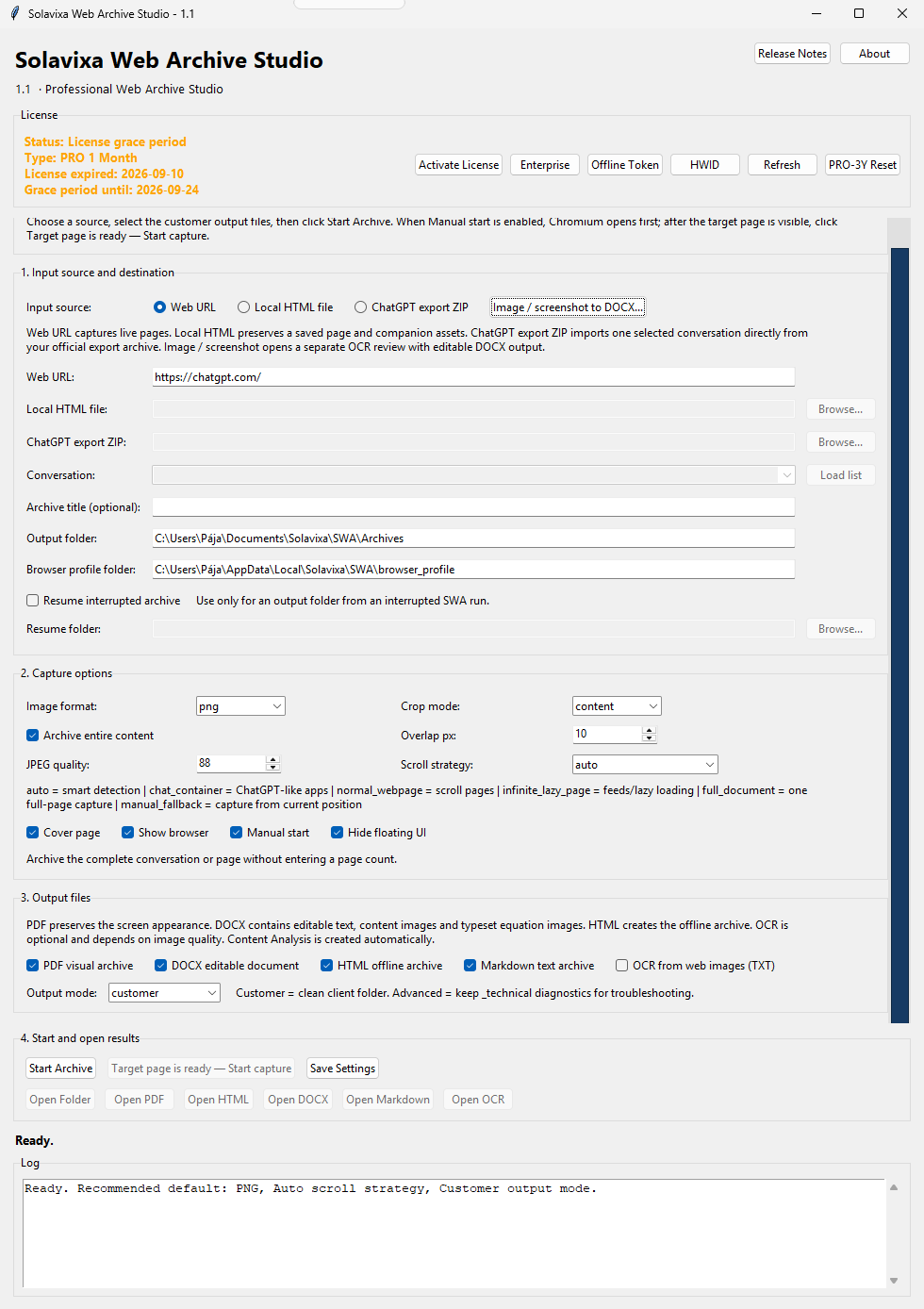
Solavixa Web Archive Studio
Current version: 1.1
Professional web, AI conversation, and document archiving for Windows — structured, local, and export-ready.
SWA helps you preserve web pages, local HTML files, official ChatGPT export ZIP archives, and standalone images or screenshots as clean, customer-ready documentation. Create structured outputs in PDF, DOCX, HTML, Markdown, OCR text, manifest files, and organized asset folders — all from one guided desktop workflow.
• Web URL, Local HTML, ChatGPT ZIP, and image/screenshot input
• PDF, DOCX, HTML, Markdown, OCR, and structured asset export
• Editable image-to-DOCX workflow with Auto OCR for text, equations, symbols, and visual regions
Image & Screenshot to Editable DOCX
SWA 1.1 includes a dedicated OCR workflow for converting standalone images and screenshots into editable Word documents. Auto OCR analyzes the source locally, keeps recognized text editable, and preserves equations, mathematical symbols, emoji, icons, and uncertain visual regions as original image crops. You can review and correct text, formatting, position, and preserved image areas before exporting the final DOCX. This hybrid approach helps retain the original visual structure while making as much content as possible editable and reusable.
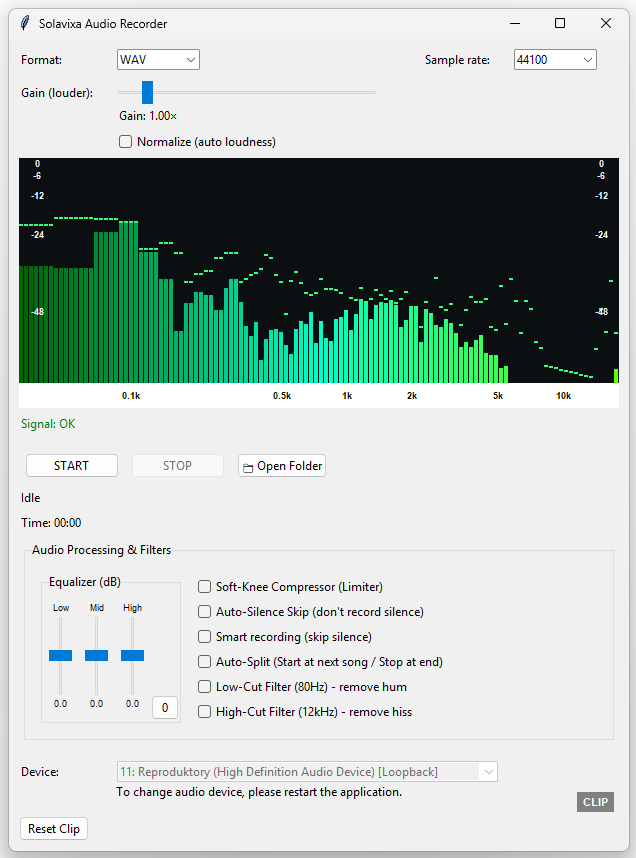
Solavixa Audio Recorder
Current version: 2.1.0 Beta
Professional system audio recording for Windows — simple, precise, dependable.
SAR helps you record audio playing on your computer with a clean interface, reliable performance, and high-quality output. A practical solution for creators, researchers, professionals, and everyday users who need fast and controlled audio capture for legitimate use cases.
- Fast setup, intuitive workflow
- Clear audio output for real work
- Lightweight desktop tool with professional feel
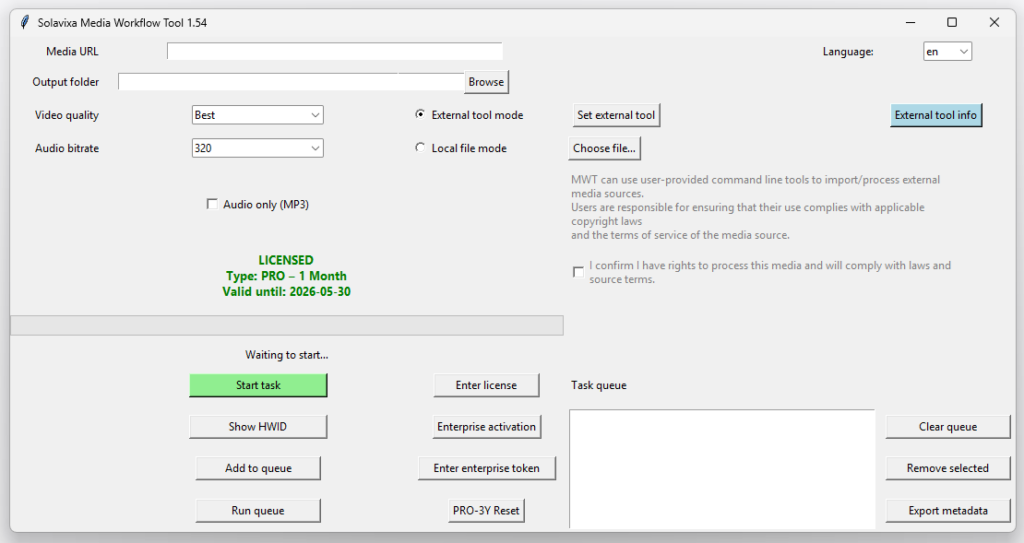
Solavixa Media Workflow Tool
Current version: 1.54.0 Beta
A professional Windows desktop application for structured media processing, workflow automation, task management, and output archiving. Solavixa Media Workflow Tool is designed as Windows media workflow software for users who need controlled processing of local media files and organized output.
- Structured media workflow management
- Task queue and batch processing
- Output organization and archiving
- Support for local processing and user-provided external tools
- Available in 6 interface languages
Why Solavixa Studio
Solavixa builds practical desktop tools designed for clarity, reliability, and everyday professional use. Our products focus on clean workflows, straightforward licensing, and a user experience built for real work.
Modern desktop tools
Clean interfaces, focused features, and practical design for users who want to get things done efficiently.
Clear licensing
Simple product access and straightforward licensing designed to stay easy to understand as your needs grow.
Built for real workflows
Created for everyday use, with a focus on reliability, usability, and long-term product value.
Another desktop tool coming soon
As Solavixa grows, additional desktop applications will be introduced through the Products page.